
Introduction
In this lesson, you are learning how to write an optimal long description that boosts your keyword ranking. We mentioned in the previous lesson that the Long Description is essential on Google Play Store as a ranking factor. However, on iOS, the Long Description is not that important. Thus, the tutorial below will 100% focus on the Long Description optimization for Android.
Lesson Summary:
- Step 1: Outline & Develop Ideas
- Step 2: Develop Ideas & Select Suitable Keywords
- Step 3: Write A Complete Long Description
- Step 4: Test Keyword Density
- Step 5: Localize Long Description
- Step 6: Summarize Keywords Included In Metadata
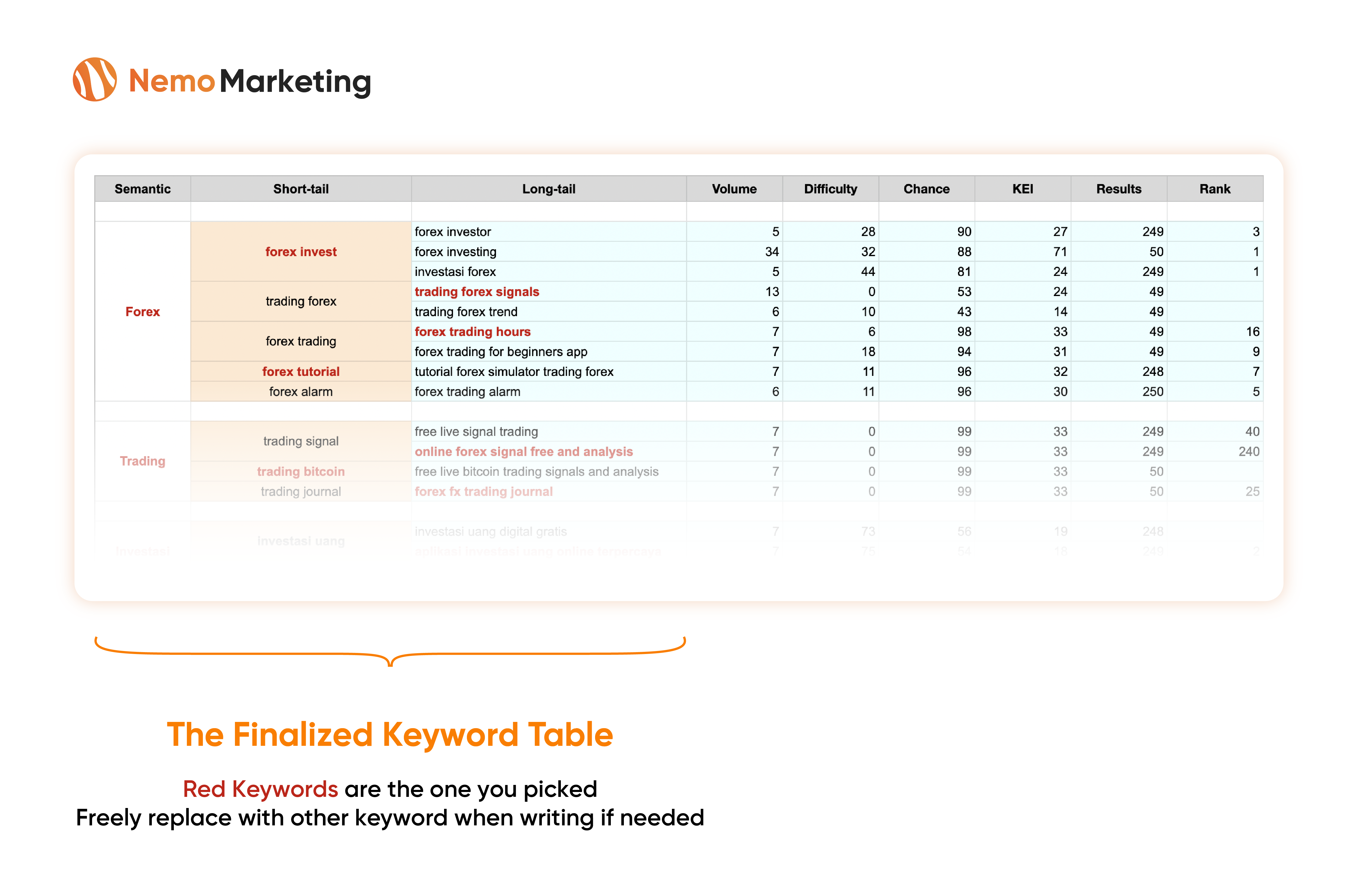
The Finalized Keyword Table
Just to remind you that you have already done the Keyword Research, and this is the out outcome – the Finalized Keyword Table with selected keywords
Now, let’s use it to write the Long Description in this article!
Step 1: Outline & Develop Ideas
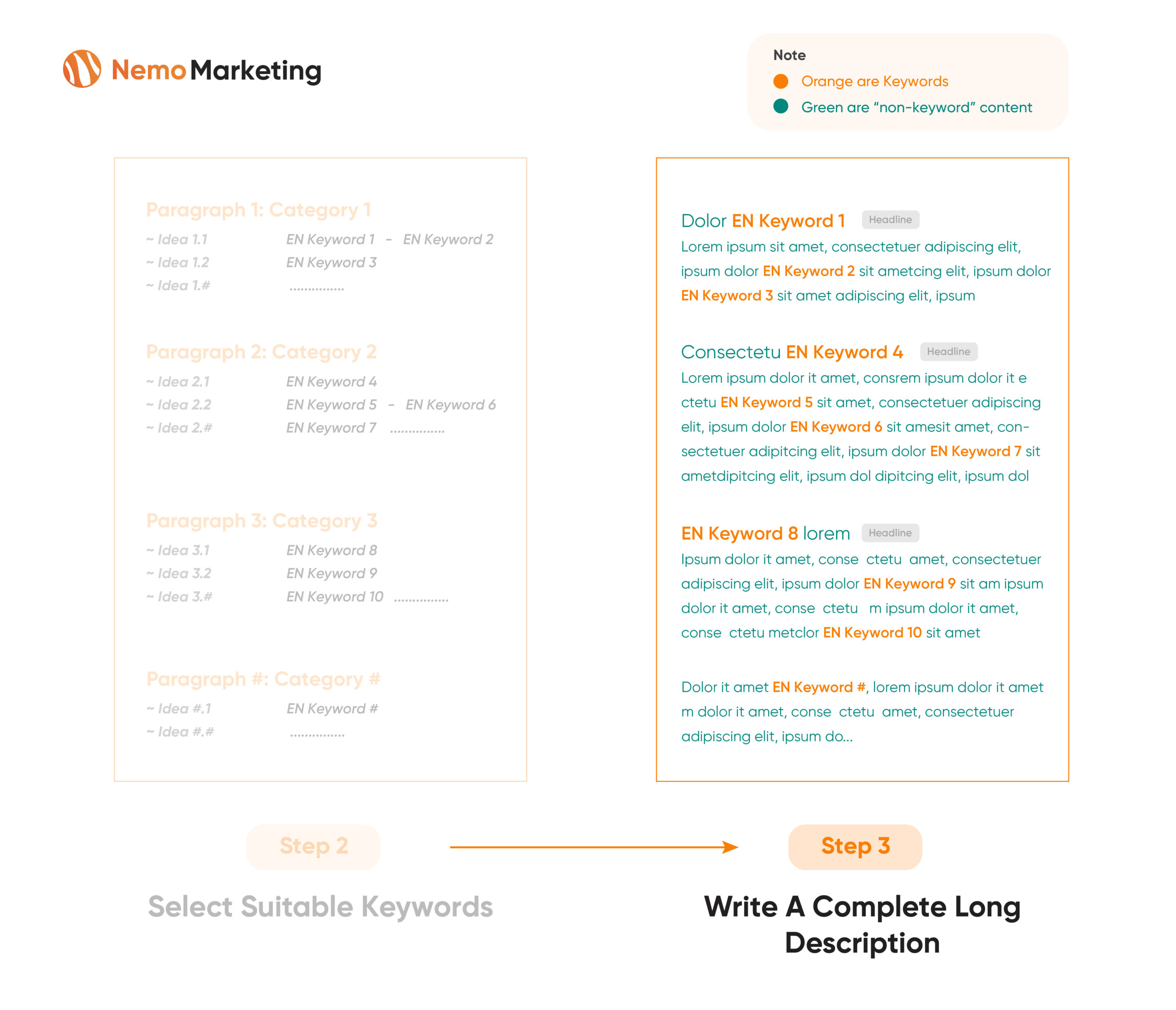
Plan on the topic for each Paragraph you want to arrange within the Long Description
Typically, I allocate one Paragraph to write about one specific Keyword Category. For example:
- If there are six main categories, I will get six paragraphs accordingly.
- Some smaller categories can be combined into 1 or 2 paragraphs.
Step 2: Select Suitable Keywords
Based on the developed outline, select relevant keywords that support the whole topical paragraph.
Be flexible! If the planned outline in step 1 makes it hard to pick keywords in step 2, you can change the content outline.

Step 3: Write A Complete Long Description
Write the long description using the Outline and Selected keywords from the previous steps.
Pro Tips:
1- Write paragraph headlines:
Include short-tail keywords with higher search volume in the Headlines of each paragraph
2- Matching 2-3 keywords to become one to save the limited space Example:
We have two keywords, “Forex Trading Analysis” & “Broker Invest Forex”…. Let’s combine them to be “Broker Invest Forex Trading Analysis” to save some space.
3- When writing the long description, focus on “pampering” the App Store Algorithm to get ranked faster.
However, as a result, if you only write for the Algorithm, the long description may sound unnatural. But that’s fine… you know, only a few human users read the 4000-character Long Description.
4- Be flexible here! Please feel free to change the keywords – outlines – ideas along the way when you write in detail.
Step 4: Test Keyword Density
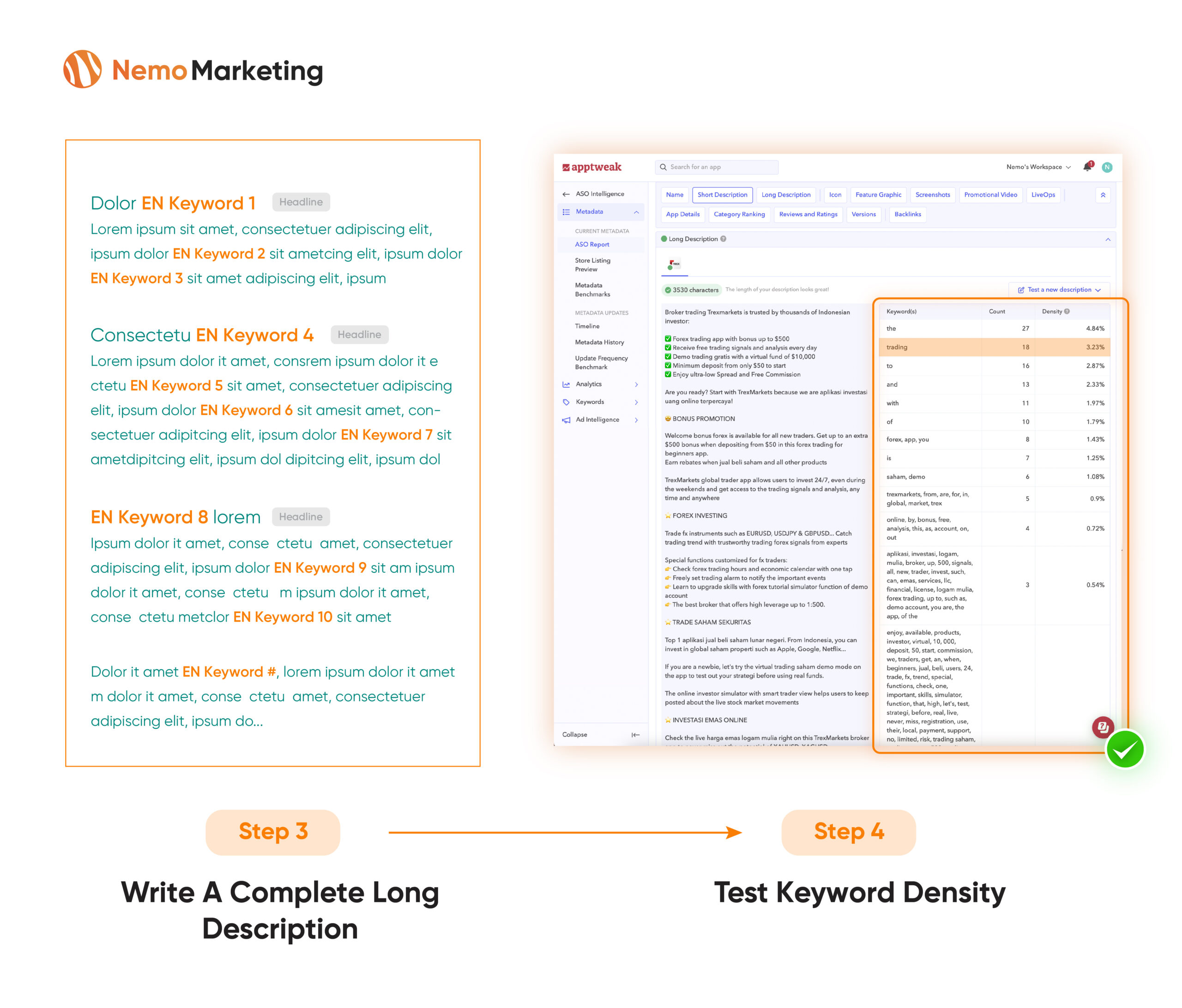
After finishing writing, let’s test your Long Description with Apptweak. Let’s review the Keyword Density metric. Ensure that you are not doing the keyword stuffing that got restricted by the App Store
The suggested Keyword Density for the main keyword is 2-3%. Gradually decrease this rate for other secondary keywords.
Step 5: Localize The Long Description
Once you have completed a concrete original Long Description, let’s scale to other local languages.
Let’s talk about how you can work efficiently with your Translators.
Step 5.1: Review the included keywords in the Original Long Description
Step 5.2: Keep the same “non-keyword” content of the Original Long Description. Only localize Keywords (mentioned in 5.3)
Step 5.3: Replace Original Keywords with similar Local Keywords respectively (Also consider the Keyword Metrics such as Volume, Install while selecting Local Keywords)
Case 1: If the Local Keywords in step 5.3 have similar meanings as the Original Keywords, you don’t need to change anything of “non-keyword” content
Case 2: If the Local Keywords and Original Keywords of step 5.3 are NOT similar, you need to change the “non-keyword” content a bit to fit the new Local keywords’ context

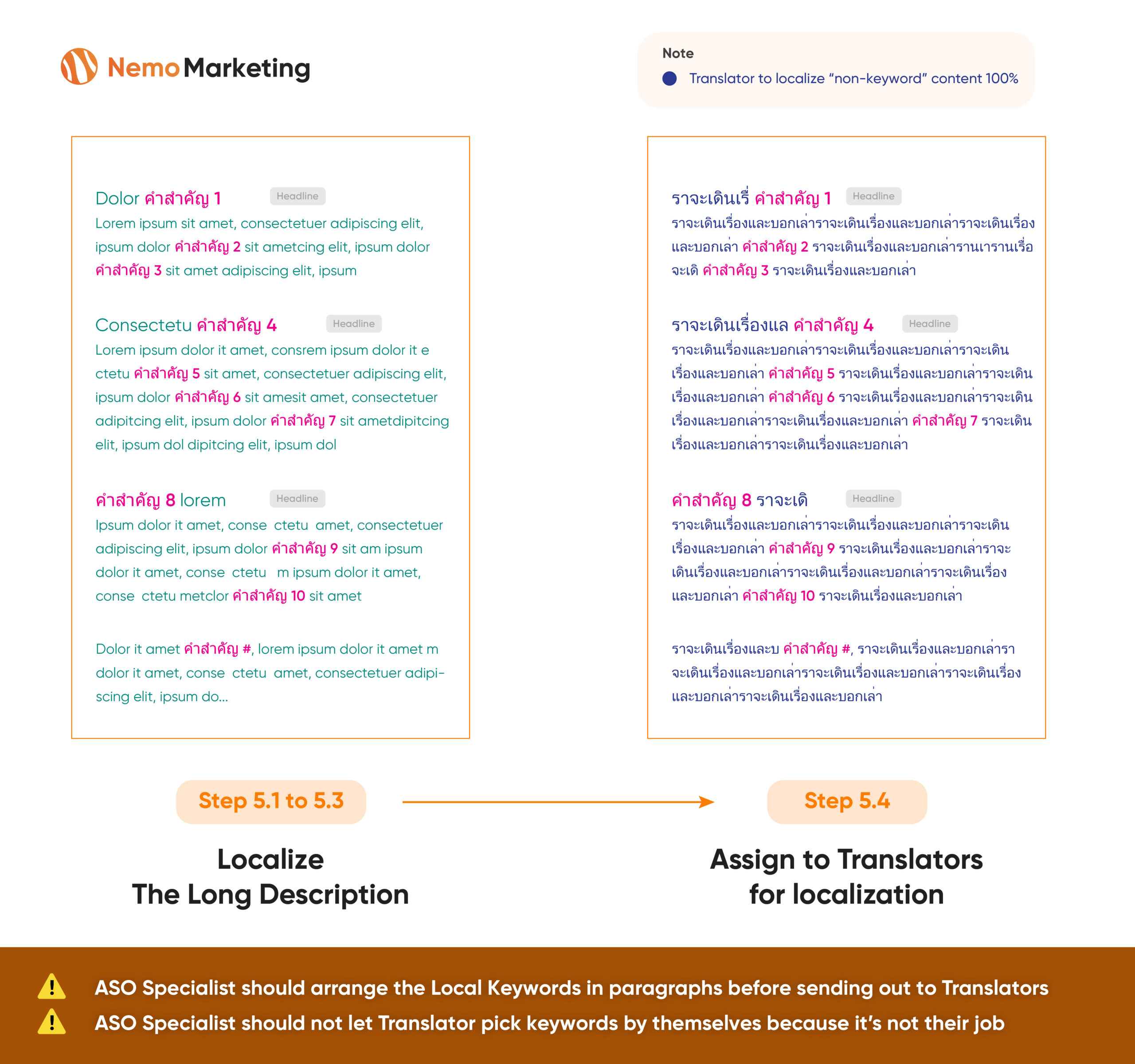
Step 5.4: Assign to Translators for localization.
Please ask the translator to translate only the “non-keyword” content while remaining the Local Keywords unchanged.
Expected result: Translators will deliver a localized Long Description that the “non-keyword” content blends with the Local Keywords in the most natural way
Again: Test the Keyword Density of all local versions before finalization
Step 6: Summarize Keywords Included In Metadata
After step 5, let’s review your whole work by noting down what keywords you included in Metadata (App Title – Short Description – Long Description)
After that, you can be confident to:
1- Monitor the metadata keywords’ performance and optimize along the way
2- If your manager asks you about your keyword strategy and what keywords you included in your metadata, you can clearly show them the list to prove your strategy